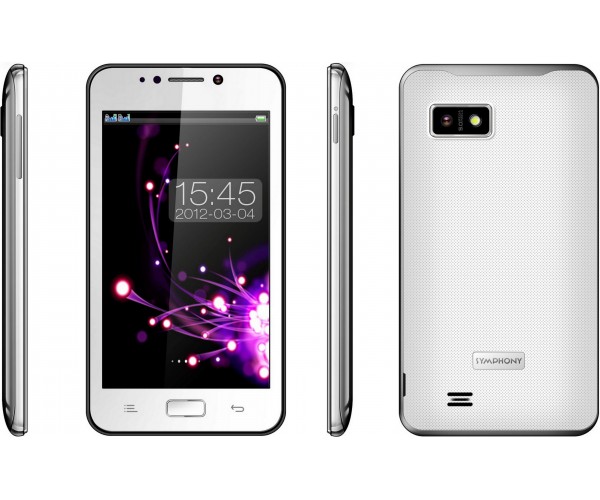
SYMPHONY W94 Official-firmware-flash-file-Free-Downloadc

W94_0_XXX_V01.0_V1.0
W94_1_XXX_V01.1_V1.0
SYMPHONY W94 SPECS IN A NUT SHELL
| CHIPSET: |
MT6582 |
| OS |
Android OS, 4.4.2 Kitkat |
| DISPLAY |
4.5″ IPS FWVGA Display |
| CAMERA |
8 MP + 2 MP CAMERA |
| PROCESSOR |
1.3 GHz Quad Core |
| RAM |
1 GB RAM |
| ROM |
8 GB ROM |
| EXPANDABLE MEMORY |
UP TO 32 GB |
| SIM |
DUAL SIM |
| BATTERY |
1650 MAH LI-ION BATTERY |
| MULTIMEDIA |
MP3, MP4, FM |
| DIMENSION |
145 X 72.8 X 9.2 MM |
| CONNECTIVITY |
3G, WI-FI, EDGE, BLUETOOTH | | |
|
| |
|
OW TO FLASH SYMPHONY W94 STOCK ROM
Step 1: Download the W94 STOCK ROM OR SYMPHONY XPLORER W94 FIRMWARE to your computer.
Step 2: Extract the SYMPHONY XPLORER W94 FLASH FILE or STOCK ROM in desire drive to your computer.
Step 3: Download correct USB DRIVER. To download USB DRIVER visit our
All USB Driver.
Step 4: Extract the USB DRIVER file to your computer.
Step 5: Install USB DRIVER ON YOUR PC.
Step 6: Download SP FLASH TOOL.
Step 7: Run SP FLASH TOOL.
Step 8: Load SCATTER file from the extracted SYMPHONY W94 STOCK ROM OR SYMPHONY XPLORER W94 FIRMWARE folder
Step 9: Connect your SYMPHONY XPLORER W94 using USB Cable.
Step 10: Now Click the DOWNLOAD / UPGRADE button of SP FLASH TOOL to start flashing your SYMPHONY W94 STOCK ROM.
Step 11: And wait for finish the process and please don’t unplug your device before finish the process.
Step 12: If the flash success a GREEN CIRCLE in a pop up message will show on the top of the display.